Sales Tracking and Shopify Integration for Makers
Automate order tracking with Shopify webhooks and multi-channel sales management.
StockCraft tracks sales from multiple channels including Shopify, manual entry, and custom integrations. Each sale captures product costs at the time of purchase, ensuring accurate profit calculations even when material prices fluctuate.
Sales & Order Management
Monitor your sales performance and manage incoming orders from all channels in one place.
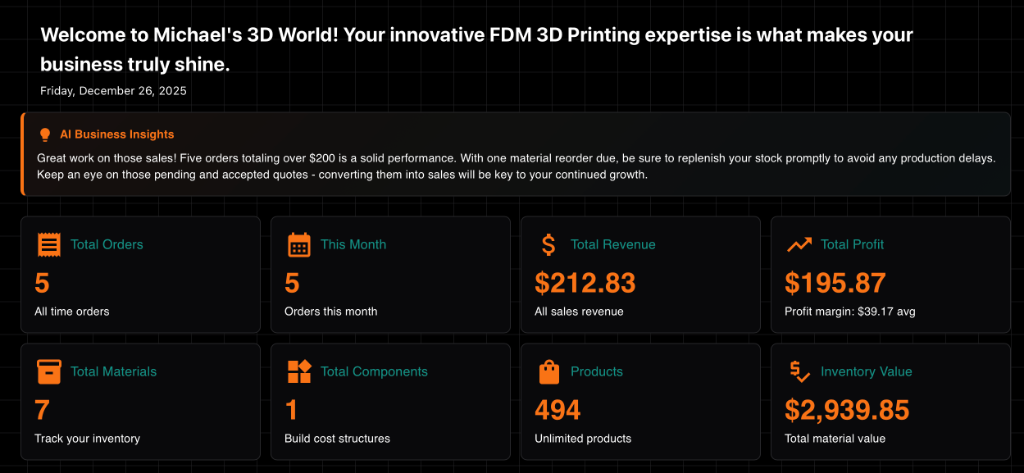
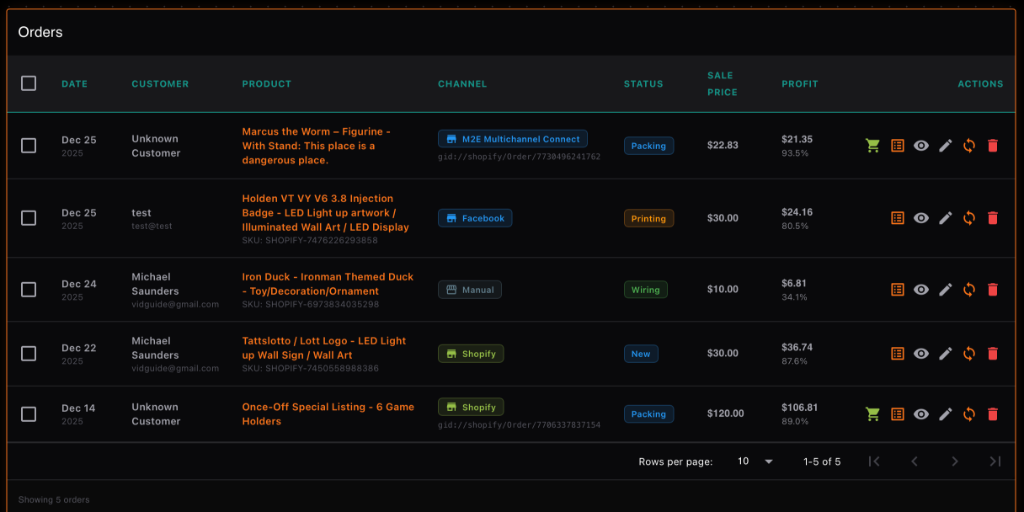
Real-time sales tracking and centralized order management
Production Workflow
Track every order through your custom production stages. From "New" to "Printing", "Wiring", "Packing", and "Shipped" — visualize your work in progress with the Kanban board.
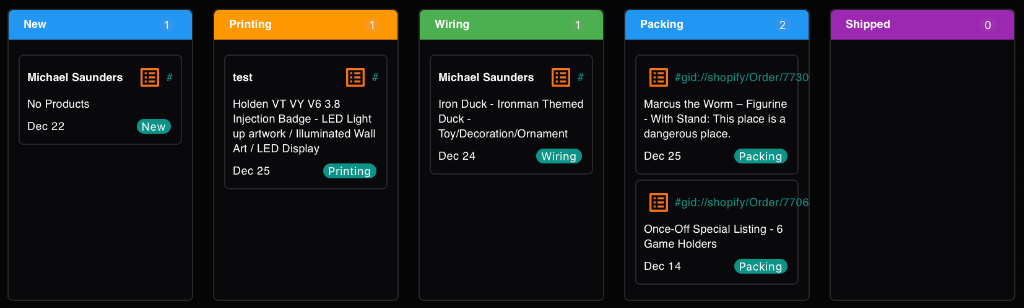
Customizable Kanban board for your production process
Multi-Channel Management
Track sales from different sources like Etsy, Amazon, or local markets. Shopify orders from multiple marketplaces (including those imported via third-party apps like Marketplace Connect) are automatically detected and categorized into Amazon, eBay, or Temu channels based on the order source, ensuring correct platform fees are applied.
Configure your channels in Settings to manage icons, colors, and specific fee rules for each platform.
Integration & Tracking: Each channel profile displays the date it was added and a live count of total orders received through that source, helping you focus on your most successful platforms.
Platform Fee Calculation: Each sales channel can be configured with specific fee rules. StockCraft can automatically calculate platform commissions, flat fees, and payment processing costs based on templates or custom rules you define.
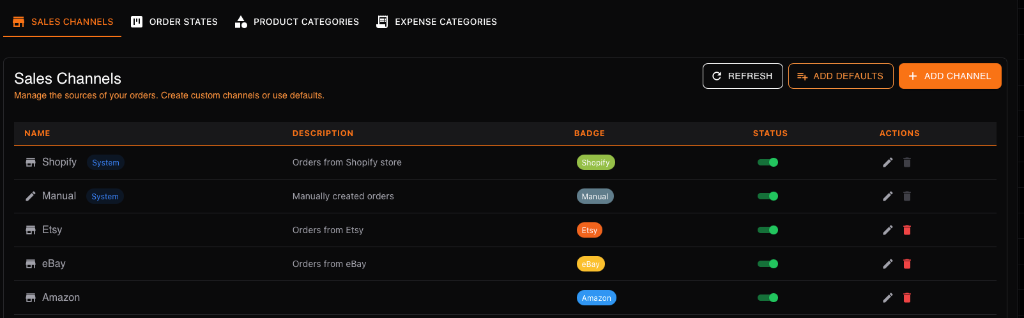
Easily add and manage sales channels
Shopify Webhook Integration
Connect your Shopify store using webhooks for instant order syncing. When a customer places an order, StockCraft automatically:
- Creates a new order record
- Deducts inventory for products and materials
- Captures the exact cost of goods sold (COGS) at that moment
- Updates your sales reports
Manual Order Import & Refresh
Beyond webhooks, you can manually import historical orders or refresh existing data from Shopify. This is useful for importing orders from before you joined StockCraft or for applying recent cost calculation changes to existing orders.
Import Options
- Skip Existing (Default): Only imports new orders that don't exist in StockCraft yet. Prevents duplicate data.
- Refresh Existing (Uncheck Skip): Re-imports and updates existing orders. This refreshes line item costs, product links, and platform fees based on your latest business settings without creating duplicates.
Market Earnings
For in-person sales at markets or fairs, use the 'Market' channel to track simplified sales entries.
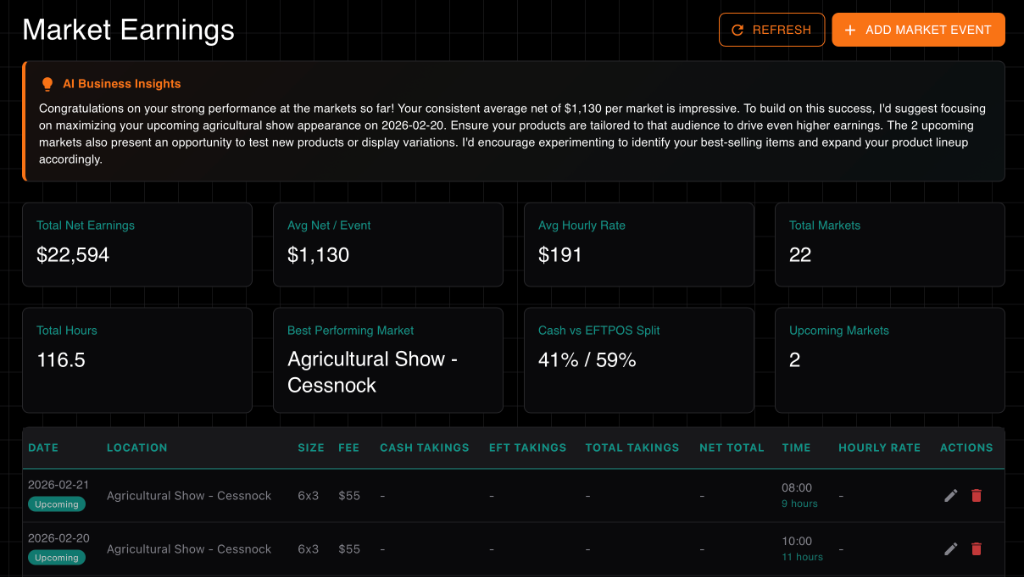
Simplified tracking for in-person events
Cost Snapshot
StockCraft captures product costs at the moment of sale, preserving accurate profit calculations even when material prices change later. This ensures historical reports reflect actual profitability at time of sale.