Products and Variants Management for Craft Business Inventory
Create products with multiple variants, map SKUs, and calculate profit margins automatically.
Products represent what you sell to customers. Each product can have multiple variants for different sizes, colors, or configurations, with unique SKUs and pricing for each option.
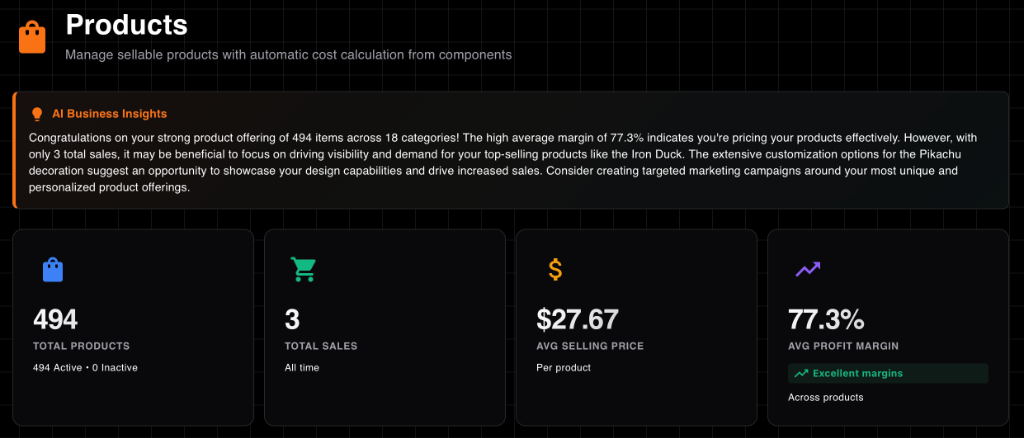
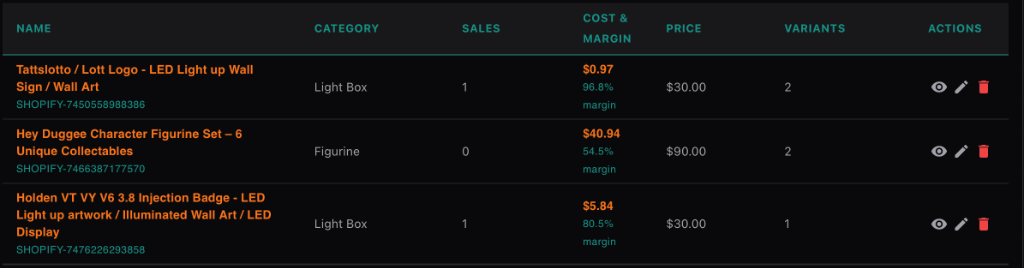
Track sales, margins, and active products at a glance
Product Composition: Components and Direct Materials
Products in StockCraft can be built using two approaches:
- Components: Reusable assemblies made from materials (ideal for complex products with shared parts)
- Direct Materials: Raw materials added directly to products (perfect for simple products without intermediate assemblies)
You can use both approaches in the same product! For example, a product might use a pre-built component for the base and add direct materials for custom finishing touches.
When to Use Direct Materials
Add materials directly to products when:
- Creating simple products that don't need reusable components
- Adding finishing materials like paint, varnish, or packaging
- Using materials that are unique to a single product
- Prototyping new products before creating formal components
StockCraft's product management allows you to build complex items from components and materials, set pricing, and automatically calculate profit margins based on real-time costs.
Creating Products
Products can have multiple variants (sizes, colors, etc.). Each variant effectively has its own Bill of Materials (BOM) but shares the main product description.
Step-by-Step Guide
- Go to Products → "Add Product"
- Enter product details (Name, Description, Category)
- Create Variants (e.g., "Small", "Regular", "Large")
- For each variant, add:
- Components: Reusable parts (e.g., "Standard Base")
- Materials: Direct consumable materials (e.g., "Gold Paint")
- Labor Costs: Time spent × Hourly rate
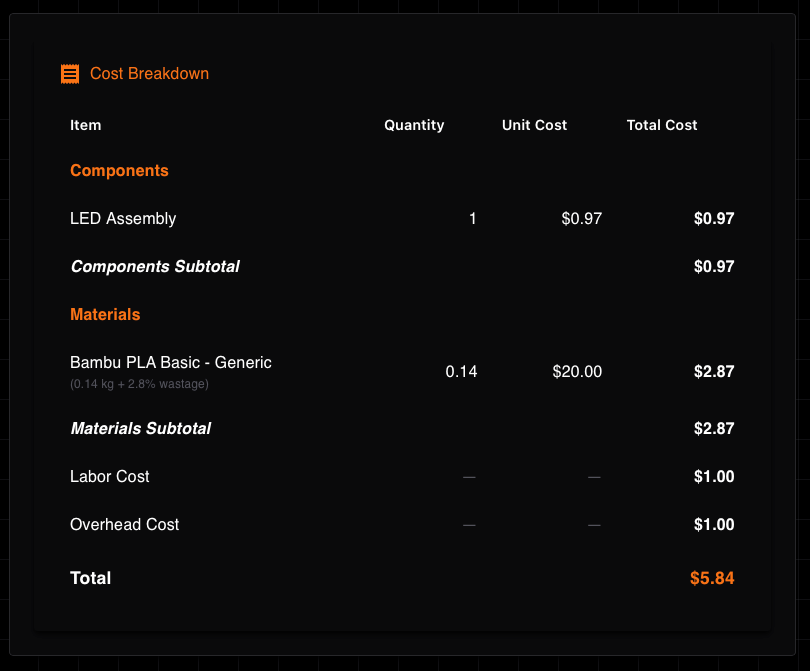
Detailed cost analysis
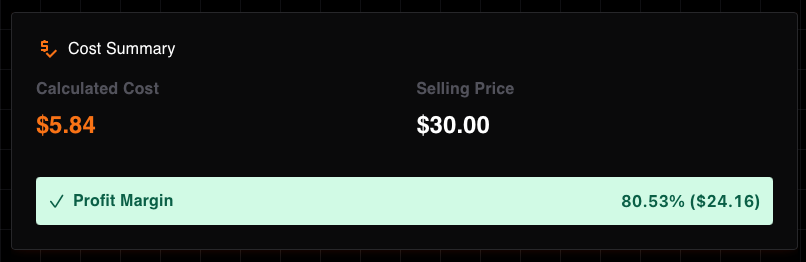
Real-time margin tracking
Profit Analysis
StockCraft calculates your profit based on:
Selling Price - (Material Cost + Component Cost + Labor + Overhead). This calculation updates
automatically if material prices change.
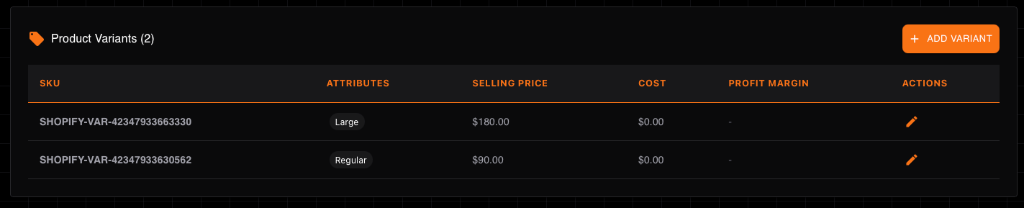
Compare profitability across all variants
SKU Mapping for Shopify Integration
Map external SKUs (Shopify, Etsy, Amazon) to StockCraft variants for automated order syncing. When orders come in from integrated platforms, StockCraft automatically matches SKUs to calculate costs and track sales.
Cost Calculation with Materials
StockCraft automatically calculates product costs using this formula:
For each material, the cost is calculated as:
Example: If you use 0.5 kg of PLA filament at $20/kg with 10% wastage:
- Base cost: 0.5 kg × $20/kg = $10.00
- With wastage: $10.00 × (1 + 10/100) = $10.00 × 1.10 = $11.00
Profit Margin Calculation
Set your selling price and watch StockCraft calculate profit margins automatically based on material costs, component costs, and wastage. Adjust prices to achieve target margins while remaining competitive.